On Thursday of last week I attended the Kelar Pacific 2012 Product Launch Event. This event was great and very informative showing what the Autodesk 2012 products have to offer. One of the things that made it great was that it felt like it was a one on one session with the presenter and me. It was very interactive which allowed for a more free flow of info.
Derek Renn presented what's new in a few different platforms and started with AutoCAD 2012. He pointed out an interesting use for the new Content Browser in that it could potentially be used to index a master standards file and allow you to easily populate a working file with content from the standard. Since it will index all objects inside and outside of a dwg file, the search potential is huge! I made a note to double check on my deployment image to see if we can configure in advance the folders to watch for indexing and to enable indexing for both private/public locations which allows searching across the drives on the server.
Derek next presented what's new in Revit Architecture 2012. He started off with Part & Assemblies and made a few points on applying these features to Architectural workflows. One way was to break floors into parts using grid lines which would ease in creation of the floors. Also, walls can be broken into parts for interacting with structural model or for QTO purposes. Even more exciting is now that we can break elements into parts, we can 4D sequence elements in Navisworks much more easily now. Lots to explore and play with there. One last thing he pointed out is that you can now apply view templates to 3d graphic display options. Yeah!
Lastly, Behzad covered Navisworks Manage 2012 in depth on its new features after wrapping up Revit Structure 2012. One feature I really appreciated is the ability to "Group" clashes. Say you have a steel beam with multiple ductwork cutting through it. In past versions, you would have to deal with multiple items, now you can place them in one group (think: folder) and find every related issue. Of note was the ability to use Switchback with Revit now. YES! Also, you can now assign people to clashes and have this show in the report to help with tracking who's fixing what. Then, when exporting be sure to choose HTML Tabular as this will make a clean export (instead of creating and export folder to place everything in), as well as allow you to open it in Excel. Lastly, Navisworks can now open 2d/3d DWF files. If its a 3d DWF, it should allow clash detection with other model objects.
I didn't stay for the whole event as I got what I needed out of the sessions I mentioned above. They were ready to present Revit MEP, AutoCAD MEP and Civil 3D whats new as well, but not sure if they were covered or not. Kelar provided a great lunch, nice informal atmosphere and some great insights to the 2012 products from Autodesk. More goodies to stick in the hat and make use of here at work.
Showing posts with label Revit MEP 2012. Show all posts
Showing posts with label Revit MEP 2012. Show all posts
Monday, June 13, 2011

Tuesday, June 7, 2011
U.S. CAD Solution Tour for Autodesk 2012 Products
This morning I attended the U.S. CAD Solution Tour for Autodesk 2012 Products (aka Make Your Ideas a Reality per Autodesk speak). Overall it was a very well put together event showcasing live what the 2012 building products from Autodesk have to offer.
The first session highlighted KaDe King, their resident AutoCAD expert who deftly showed some of the great new features in AutoCAD 2012. Items she covered were the new Content Browser, Auto-Complete for commands, new functions for Grips, being able to select/manipulate the UCS icon (my personal fav), the drastic increase in the ability to import more file formats, the parametric Array command and adding dynamic views to sheets.
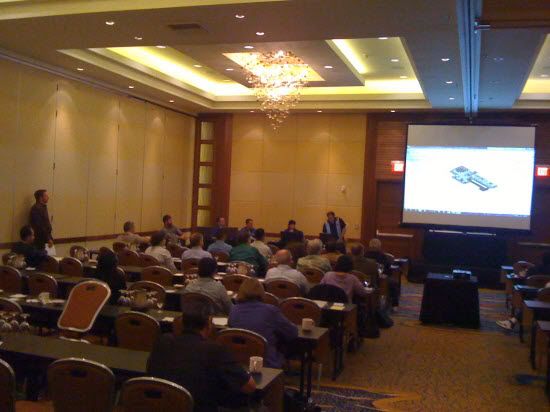
The expert panel from the U.S. CAD building team brain trust went in action (photo below) with a couple guest speakers - Scott Davis from Autodesk and Lonnie Cumpton from BIM9. William Troeak presented some of the general Revit Arch 2012 new features. William showed some of the great new presentation features for 2012 with the surface ghosting and new paint tools along with tagging/annotating in 3d. One great little tip he pointed out was that if you place regular text in your 3d view, if it is ever unlocked, the text will not hide with the other annotation objects (such as tags).

William was followed by Lonnie presenting new features centered around the new worksharing capabilities. Lonnie has unique qualifications to talk about the impact of worksharing enhancements after having worked on the Cosmopoliton in Las Vegas. After completing the project in Revit at about 7.5 Million Sq Ft and 47,000 sheets in the completed CD set, he's gained a little experience from it. In addition to covering worksharing enhancements such as the ability to remove worksets when detaching from central, he also showed a few ways for color coding them. You can color elements based on who has an items checked out or per the workset they belong to (great for seeing who has item checked out or ensuring all objects are in the correct workset). It was pointed out that the refresh rate can be set to update as frequently as every 5 seconds.
Up next was Dawn Hata covering Revit Structure and Michael Shinn covering Revit MEP. Dawn pointed out that we can now set VG to control and easily turn off the Revit Structure Analytical model with greater ease. Repeat after me: "I will go update my view templates now". Once all the Revit flavors were covered, Joel wrapped up by presenting Navisworks Manage 2012 and I owuld say the highlight was the ability to place objects into a shaded view with wireframe active, greatly enhancing the ability to view collisions in 3D. Lastly, I would like to say that it was refreshing to see the entire team utilize ONE building model design in each of the different software packages.
After the first session, everyone broke out into separate rooms, one for a presentation on Siteworks for Revit and the other on BIM9. Siteworks for Revit shows great promise in easily modifying site features and related info directly in Revit. BIM9 essentially allows you to setup your own private BIM cloud for accessing Revit projects remotely. Trust me, it works wonderfully!
All in all it was a great event and it was great to see some industry friends. Now to go get some of these tips in the hands of users throughout the company!
The first session highlighted KaDe King, their resident AutoCAD expert who deftly showed some of the great new features in AutoCAD 2012. Items she covered were the new Content Browser, Auto-Complete for commands, new functions for Grips, being able to select/manipulate the UCS icon (my personal fav), the drastic increase in the ability to import more file formats, the parametric Array command and adding dynamic views to sheets.
The expert panel from the U.S. CAD building team brain trust went in action (photo below) with a couple guest speakers - Scott Davis from Autodesk and Lonnie Cumpton from BIM9. William Troeak presented some of the general Revit Arch 2012 new features. William showed some of the great new presentation features for 2012 with the surface ghosting and new paint tools along with tagging/annotating in 3d. One great little tip he pointed out was that if you place regular text in your 3d view, if it is ever unlocked, the text will not hide with the other annotation objects (such as tags).

William was followed by Lonnie presenting new features centered around the new worksharing capabilities. Lonnie has unique qualifications to talk about the impact of worksharing enhancements after having worked on the Cosmopoliton in Las Vegas. After completing the project in Revit at about 7.5 Million Sq Ft and 47,000 sheets in the completed CD set, he's gained a little experience from it. In addition to covering worksharing enhancements such as the ability to remove worksets when detaching from central, he also showed a few ways for color coding them. You can color elements based on who has an items checked out or per the workset they belong to (great for seeing who has item checked out or ensuring all objects are in the correct workset). It was pointed out that the refresh rate can be set to update as frequently as every 5 seconds.
Up next was Dawn Hata covering Revit Structure and Michael Shinn covering Revit MEP. Dawn pointed out that we can now set VG to control and easily turn off the Revit Structure Analytical model with greater ease. Repeat after me: "I will go update my view templates now". Once all the Revit flavors were covered, Joel wrapped up by presenting Navisworks Manage 2012 and I owuld say the highlight was the ability to place objects into a shaded view with wireframe active, greatly enhancing the ability to view collisions in 3D. Lastly, I would like to say that it was refreshing to see the entire team utilize ONE building model design in each of the different software packages.
After the first session, everyone broke out into separate rooms, one for a presentation on Siteworks for Revit and the other on BIM9. Siteworks for Revit shows great promise in easily modifying site features and related info directly in Revit. BIM9 essentially allows you to setup your own private BIM cloud for accessing Revit projects remotely. Trust me, it works wonderfully!
All in all it was a great event and it was great to see some industry friends. Now to go get some of these tips in the hands of users throughout the company!
Subscribe to:
Posts (Atom)